Red Access Wins Globee Award for Innovation, Named Gold Winner and Best of Category for Cybersecurity Product of the Year


Share:


Protect work across browsers, AI, messaging, and more

Securing browser activity

Enterprise Browser Alternative
Protection Without Friction
STOP
THE CHASE


Safe Browsing with Red Access

Red Access Data Loss Prevention (DLP)

Red Access Browser Extension Protection

Red Access SaaS Security

Secure Contractor & BYOD Remote Access

Adopt cutting-edge technologies like WebView2 without sacrificing security

Control GenAI Use Without Blocking Innovation

Streamlined, frictionless web security

Stop credential theft and spoofed sites in real time

SSE Security Without Replacement

Govern Vibe-Coded Apps
STOP
THE CHASE

Lorem ipsum dolor sit amet,
consectetur

Lorem ipsum dolor sit amet,
consectetur

Lorem ipsum dolor sit amet,
consectetur

Lorem ipsum dolor sit amet,
consectetur

Lorem ipsum dolor sit amet,
consectetur
Lorem ipsum dolor sit amet,
consectetur
STOP
THE CHASE
Share:
Key takeaways
**
The official story about enterprise browsers is a growth story: a fast-rising category, strong analyst ratings, real architectural innovation, and a credible thesis that the browser is the right place to enforce policy in a SaaS-first world.
The boots-on-the-ground story, though, is different. Across community forums, trade press, and field reports from organizations actually running these tools, the pattern is consistent — pilots go well, full rollouts stall, and the “successful” deployments quietly redefine success downward into something narrower than what was originally sold.
And thus the question worth answering is why universal rollout so consistently fails to land, and what that should change about how a CISO thinks about session-level security in the first place.
The category exists for good reasons. The browser is genuinely where work happens now — SaaS apps, AI prompts, file movement, sensitive forms — and putting controls inside the browser is a coherent architectural choice.
Where the managed-browser model works best is on the edges of the workforce: contractor pools, third-party access, high-risk roles, BYOD scenarios where shipping a corporate laptop or spinning up VDI is prohibitively expensive.
In those settings, a managed browser is a dramatically cheaper, more usable alternative to the old answers. The category is valid. But what happens when the same product is pushed beyond those edges in an attempt to cover the entire workforce? Or even the majority of it?
Trade press has been covering “slow adoption of enterprise browsers” as a story for a while. The barriers named are consistent across coverage: user resistance, application compatibility issues, and the change-management lift required to actually get the workforce to switch browsers for daily work.
The community-level picture is even more direct. Across discussions on r/sysadmin and r/cybersecurity, the pattern practitioners describe is that adoption “craters” the moment employees are asked to leave Chrome or Edge for daily work.
Power users — developers, sales teams in CRM-heavy workflows, anyone with deeply embedded extensions and bookmarks — push back hardest. The browser may be almost identical (e.g., Chromium-based), but the muscle memory and personal-profile gap turns out to be a much larger barrier than vendors initially modeled.
Broader category coverage has flagged the same theme: enterprise browsers tend to be technically compelling but operationally difficult.
In Red Access’s own field experience working with prospects who’ve evaluated or deployed enterprise browsers, the numbers track with the public consensus. Deployment rates very rarely go over 20% — meaning the typical customer reaches less than a third their intended workforce. We’ve spoken with organizations that spent more than two years on rollout and still did not cross the 50% mark.
Three structural reasons the curve flattens and stays flat.
The first is that the remaining users are usually the highest-friction users. The easy users get deployed first. The hard majority (60-70%) — developers, power users, sales teams whose tooling is tangled into Chrome-specific extensions — is structurally harder to move, not just next in line.
The second is exception sprawl. Every team that breaks something in the managed browser gets an exception. Exceptions are a quiet form of saying we accepted the security gap. Over time the exception list becomes the actual deployment story, and the rollout that started as “everyone on the managed browser” has reorganized itself around a growing list of people who don’t have to be.
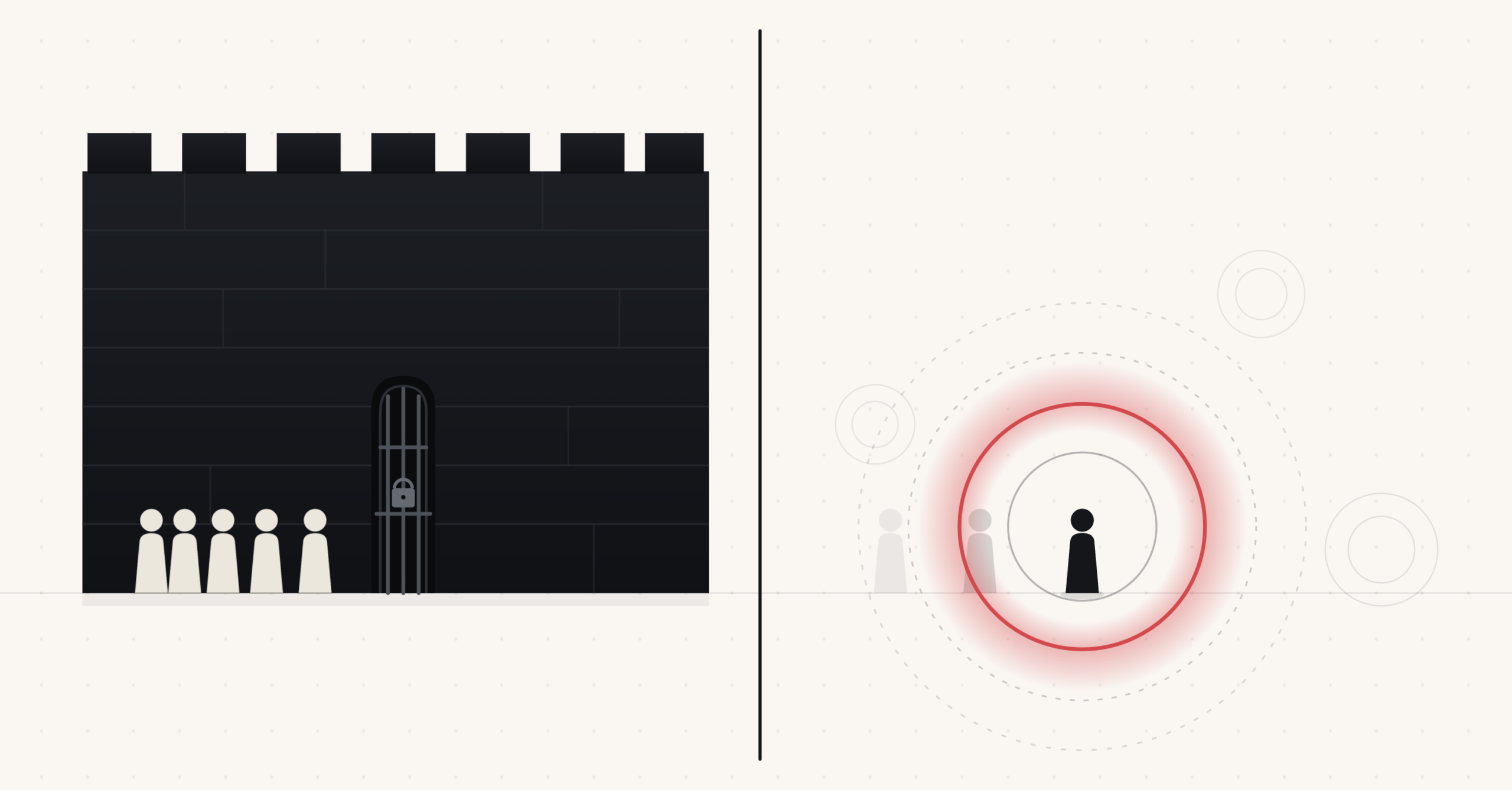
The third — and this is the most underdiscussed — is the hybrid retreat. Many organizations that “succeed” with an enterprise browser do so by quietly reframing the deployment from universal to selective. The managed browser stops being “what everyone uses all day” and becomes a routing destination: users get sent into it via their IdP only when they hit specific high-risk SaaS apps like Workday, Salesforce, or sensitive internal tools. That’s a reasonable adaptation. But it’s also a tacit admission. Even the “wins” in this category often look like selective session control, not universal browser replacement.
Notice what the hybrid retreat is actually doing. When an organization configures IdP routing to send users into the managed browser only for specific SaaS apps, they aren’t enforcing browser policy — they’re enforcing session policy. The browser is merely the delivery mechanism. The reframed question writes itself: if the actual unit of enforcement is the session, why does the workforce need a new browser at all?
That’s the model Red Access is built on. The Red Access security engine is delivered into the session itself — not installed on the OS, not bolted onto the browser. The user keeps Chrome, Edge, Safari, Firefox, or their AI-native browsers. Policy renders locally inside the tab. Actually – inside every web session, including those inside desktop apps.
No new browser to adopt, no extension to manage, no agent to install. Deployment is typically a single configuration pushed through existing MDM — measured in hours, not months. Adoption isn’t a behavior-change project because there’s no behavior to change.
There are environments where a managed enterprise browser can be the right answer: locked-down contractor pools, deeply regulated workflows where the closed-garden posture is part of the compliance story, narrow apps that benefit from the deepest possible browser-resident control.
But for most organizations trying to cover a real workforce in a reasonable timeframe, the math favors not asking users to switch browsers in the first place.
If your enterprise browser deployment has stalled at a fraction of your workforce — and the remaining users aren’t moving — that gap is the most important security signal you have. See Enterprise Browser Alternatives for a deeper look at the two models, or click here to learn what it can mean for your environment.
Insights & Ideas

|
AI agent security governs what agents can access, connect to, and do. Map agentic AI risks, MCP…

|
ChatGPT Enterprise keeps workspace data out of training. The risk is the personal account one tab away.…

|
Microsoft Copilot security is a permissions problem first. Map every Copilot surface, set Purview DLP, block what…