Red Access Wins Globee Award for Innovation, Named Gold Winner and Best of Category for Cybersecurity Product of the Year


Protect work across browsers, AI, messaging, and more

Securing browser activity

Enterprise Browser Alternative
Protection Without Friction
STOP
THE CHASE


Safe Browsing with Red Access

Red Access Data Loss Prevention (DLP)

Red Access Browser Extension Protection

Red Access SaaS Security

Secure Contractor & BYOD Remote Access

Adopt cutting-edge technologies like WebView2 without sacrificing security

Control GenAI Use Without Blocking Innovation

Streamlined, frictionless web security

Stop credential theft and spoofed sites in real time

SSE Security Without Replacement

Govern Vibe-Coded Apps
STOP
THE CHASE

Lorem ipsum dolor sit amet,
consectetur

Lorem ipsum dolor sit amet,
consectetur

Lorem ipsum dolor sit amet,
consectetur

Lorem ipsum dolor sit amet,
consectetur

Lorem ipsum dolor sit amet,
consectetur
Lorem ipsum dolor sit amet,
consectetur
STOP
THE CHASE
red access
Island is a serious product. If your goal is to lock down a specific, managed browser environment for a controlled group of users, it does that well. Gartner reviewers rate it between 4.6 and 4.9. The core insight — that security should live where work happens, inside the session — is correct.
The question isn’t whether Island works. It’s whether it works for your environment, your users, and your actual threat surface.
Here’s an honest comparison.


Island secures the browser. Red Access secures the session — in whatever browser, app, or environment it happens to run in.
That sounds like a subtle distinction. In practice, it determines whether your security actually covers how your people work.

Island is a Chromium-based enterprise browser. It replaces Chrome, Edge, or Safari with a managed browser that IT controls. Inside that browser, the controls are genuinely strong: granular policies on downloads, uploads, copy/paste, screenshots, printing, and session behavior. Full audit logs. Identity integration. BYOD access without an OS-level agent.
The mental model is: the browser becomes the control plane.
For environments where you can enforce that model — outsourced teams, call center agents, high-risk contractors with narrow, defined workflows — it’s a coherent and powerful approach.
*Island has expanded their pitch beyond the browser into a broader SASE platform. This page focuses on the Enterprise Browser product specifically — the managed-browser model that remains the core of how Island gets enforcement onto the endpoint.
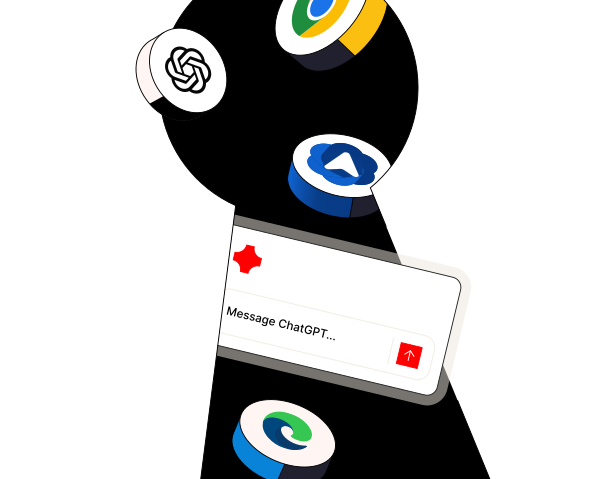
The enforced browser model creates three problems that show up consistently in real deployments.

Asking a workforce to switch browsers is not a technical decision — it’s a behavior change decision. And behavior change at enterprise scale is hard. Island customers report implementation timelines typically ranging in months. Some organizations struggle significantly longer: we’ve spoken with Island prospects who spent over two years on deployment and still hadn’t passed 55% rollout — because users resisted, workflows broke, and exceptions multiplied.
The security tool that never fully deploys doesn’t secure anything.

Island secures what happens inside Island. Work doesn’t stay there.
The Copilot pane inside Outlook is not Island. The Slack desktop client is not Island. The ChatGPT desktop app is not Island. The Claude desktop app is not Island. WhatsApp, Telegram, Signal, Figma — none of these are Island. All of them handle your data.
If a user downloads a file from Salesforce inside Island, then opens it in Excel, then pastes content into a Slack message — Island’s visibility ends the moment the file leaves the browser. The session that actually created the risk is invisible to it.

Island can run on unmanaged devices. But it only controls what happens inside the Island browser on that device. Everything else — every other browser the user opens, every desktop app, every background process — is outside its scope. For true BYOD coverage, that gap is significant.
And in practice, no one deploys an enterprise browser alone. Closing the gaps above typically means pairing it with SSE, CASB, endpoint controls, and identity platforms. That might work — but every addition is another integration to manage, another vendor to negotiate, another policy gap to reconcile. The stack grows to compensate for the scope.
Red Access is not a browser. It doesn’t replace anything. When a user opens a session — in Chrome, Edge, Firefox, Safari, Brave, Arc, or a browser embedded inside Outlook, Slack, or any desktop app — a lightweight security engine (17–60KB) is delivered directly into that session’s memory before the page renders. It has no persistent presence on the device. It exists only inside the governed session, for the duration of that session.
From there it governs: page interactions, keystrokes, clipboard actions, file transfers, prompts typed into AI tools — all enforced locally, in real time, without round-trips to a remote data center.
Deployment is a single line pushed through your existing MDM (Intune, Jamf, Kandji) or GPO. No new browser. No extension. No endpoint agent. No change management project.

Chrome, Edge, Firefox, Safari, Brave, Arc, and emerging browsers like Comet and Atlas

Clipboard governance, file upload/download inspection, screenshot blocking, print blocking, OCR-based detection of sensitive content in images

Risk scoring, traffic inspection, AI wrapper extension detection routing data to unauthorized models

Outlook, Slack, WhatsApp, ChatGPT Desktop, Claude Desktop, Figma, and more

Redacting PII, credentials, or source code before send — distinguishing between personal and enterprise AI accounts

A governed session on any unmanaged device — no agent, no VPN, no visibility into personal activity outside that session

Requires browser
replacement?
Yes
No

Works in Chrome, Edge, Firefox, Safari?
No — only Island browser
Yes

Works in Brave, Arc, emerging browsers?
No
YES

Covers embedded sessions in Outlook, Slack, Teams?
No
Yes

Covers ChatGPT Desktop, Claude Desktop, Figma?
No
Yes

Agentless (no OS install)?
Partial — no OS agent, but requires browser replacement
Yes

Works on BYOD?
Yes (Island browser only)
Yes (any browser + embedded apps)

Requires user behavior change?
Yes — new browser
No

Session-level DLP?
Yes
Yes

GenAI prompt security?
Yes — within Island browser only
Yes — across all browsers and embedded apps

Browser extension control?
Yes
Yes — including AI wrapper detection

Covers desktop app embedded sessions?
No
Yes

Average deployment time?
Months
Same day to weeks

Follow-Me Security (office + remote)?
Partial
Yes

Integrates with existing firewall/SSE?
Varies
Yes — Palo Alto, Fortinet, Check Point, Cisco, Zscaler, Netskope
*Follow-Me Security: consistent policy enforcement regardless of whether the user is in the office, at home, or on a public network — without any additional configuration required.
red access
Island pricing is enterprise contract-based with no public list price. Based on available market data, deployments typically start around $250,000 per year and scale to $500,000–$1M+ annually at enterprise scale, with implementation timelines typically ranging in months.
Red Access is licensed per user, not per device, at $120 per user per year. Three tiers cover browser security only, browser security plus DLP and GenAI controls, and the full platform including BYOD and contractor access. No surprise infrastructure costs. No rip-and-replace project. Deployment is same day to weeks.
testimonials

Evaluated Red Access against extension and agent-based options — including enterprise browser approaches — and chose Red Access specifically because it did not require replacing the browser or rebuilding their network security architecture.
RIMEX
Selected Red Access following difficulties implementing a previous security product, citing fast implementation as a deciding factor.
Pama Financing
Chose Red Access for its ease and speed of implementation
The Jerusalem Municipality
A Few Technical Questions We Hear From Island Evaluators
It’s a fair concern — Secure Web Gateways use Man-in-the-Middle SSL inspection, which terminates and re-encrypts traffic, breaks certificate chains, and triggers untrusted connection warnings that your users and your helpdesk will not enjoy.
Red Access doesn’t do that. We don’t touch the SSL chain. Instead, our session-layer engine is delivered directly into the browser session’s memory as the page loads — before the content fully renders. The SSL connection between the browser and the destination stays intact and unbroken.
And because the engine is part of the session itself rather than intercepting traffic outside it, it actually has better visibility than MITM-based approaches — not just equivalent visibility without the breakage. A proxy sees encrypted traffic leaving the browser. Red Access sees what’s happening inside the session before it’s ever encrypted — the prompt being typed, the file being selected, the clipboard being pasted — at the moment it happens, locally, with no round-trip.
The Red Access enforcement engine is stateless. Once it’s delivered into the browser session, it operates locally — in the browser’s own memory. If the connection to the Control Plane is interrupted, enforcement doesn’t collapse. The session defaults to your pre-configured state: fail-open if you’ve prioritized business continuity, fail-closed if you’ve prioritized security. That’s your call, not ours.
Because enforcement decisions happen locally — in RAM, inside the tab — there’s no backhaul. The decision to block a copy-paste action or redact a prompt doesn’t travel to a data center and back. It happens at the speed of local memory: no type-lag, no inspection delay, no productivity impact.
Only what happens inside a governed session — nothing else.
When a contractor or BYOD user accesses a resource through a Red Access Share-Link, the engine attaches only to that specific browser instance opened via the shortcut. If that same user opens a separate browser window for personal banking, social media, or anything else, Red Access has zero visibility into it. That traffic is not routed through our platform. It is not logged. It is not inspected.
This isn’t a policy — it’s an architectural constraint. The engine only exists inside the governed session. Outside of it, we’re blind by design.
The same principle applies more broadly: Red Access doesn’t inspect everything that passes through it. You define which traffic is in scope — and even that traffic isn’t fully inspected. The engine governs the session; it doesn’t surveil the network. That distinction matters for privacy, for trust, and for keeping your security controls from becoming the thing your workforce resents.
For a full technical breakdown of how Red Access works, see What is Red Access? →
There are environments where Island’s model is the right one.
If you’re securing a narrow, defined group of users — contractors, call center agents, offshore teams — with controlled, browser-centric workflows, and you have the authority to enforce a single managed browser for that group, Island gives you deep, hard control within that perimeter.
If replacing VDI with a lighter, browser-based alternative is your primary goal, Island is a credible option.
If your compliance environment specifically requires a managed browser, that requirement may drive the decision regardless of other factors.
In those environments, Island and Red Access are not mutually exclusive. Island controls the managed browser for the defined group. Red Access covers the rest of the organization — the employees who work across browsers, desktop apps, and environments where enforcing a single browser isn’t realistic.
red access
Island
red access
Yes — and in many environments, it makes sense.
An organization might deploy Island for tightly controlled workflows, and use Red Access for the broader workforce — employees who work across browsers, desktop apps, and remote environments where enforcing a single browser isn’t realistic.
Red Access can also extend an Island deployment by covering sessions outside it: embedded AI tools, BYOD access, or unmanaged environments.
They are not the same thing. But they are not mutually exclusive.

Island built a genuinely strong product for a specific model of work: controlled, browser-centric, manageable enough to enforce a single browser across a defined user group.
Most enterprises don’t look like that. Work is messier. Users resist change. Slack and Outlook and desktop AI clients sit outside the browser. BYOD means truly unmanaged. Contractors use whatever device they have.
Red Access was built for that reality — not for the clean version of it.
If Island is a secure room that only protects you while you’re standing in it, Red Access is the security layer that follows everyone, everywhere they actually work.
discover the new sse
